For professionals
A studio headshot, from the photo already on your phone
Upload one clear photo and pick your setting. We relight it, replace the background, dress you for that setting, and return a single headshot — which you see in full before you pay a penny.
- Company team page
- Speaker bio
- Pitch deck
- Email signature
Real examples
A phone photo in. A headshot out.
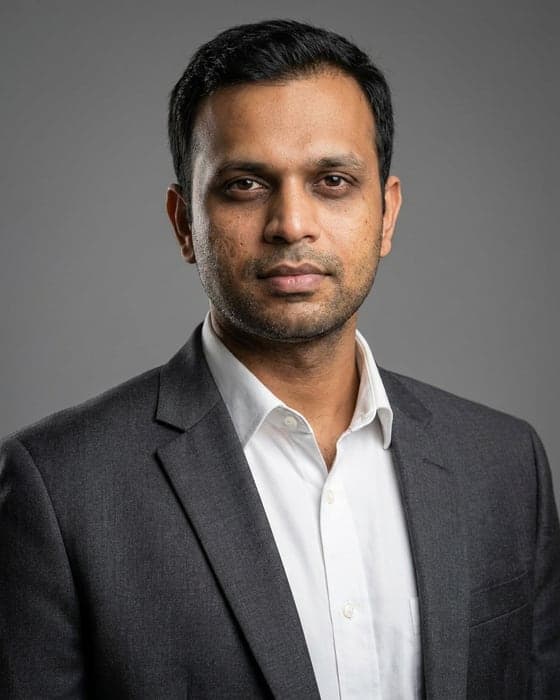
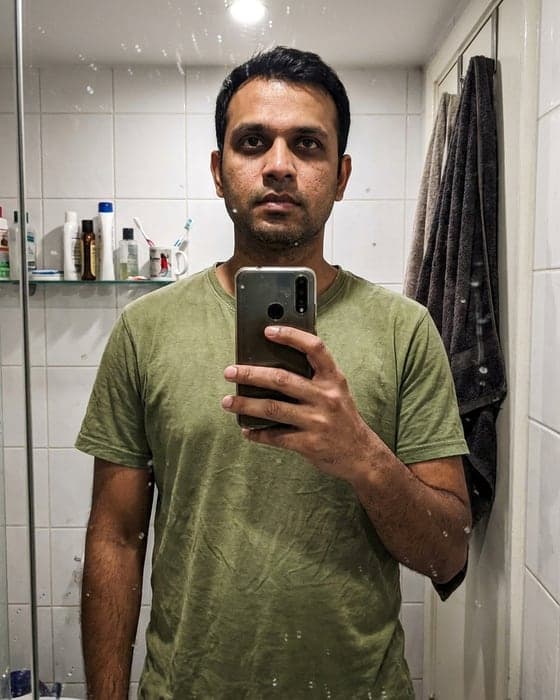
Every photo on the right came out of this tool, from the photo beside it — a strip-lit kitchen selfie, a flash photo at night, a phone propped on a desk, a face lost against a bright window. These are the photos people actually have. Each pair used a different setting, so you can also see how far the range goes: the same engine that produces a formal studio portrait produces the mountain and the trail.
 What you upload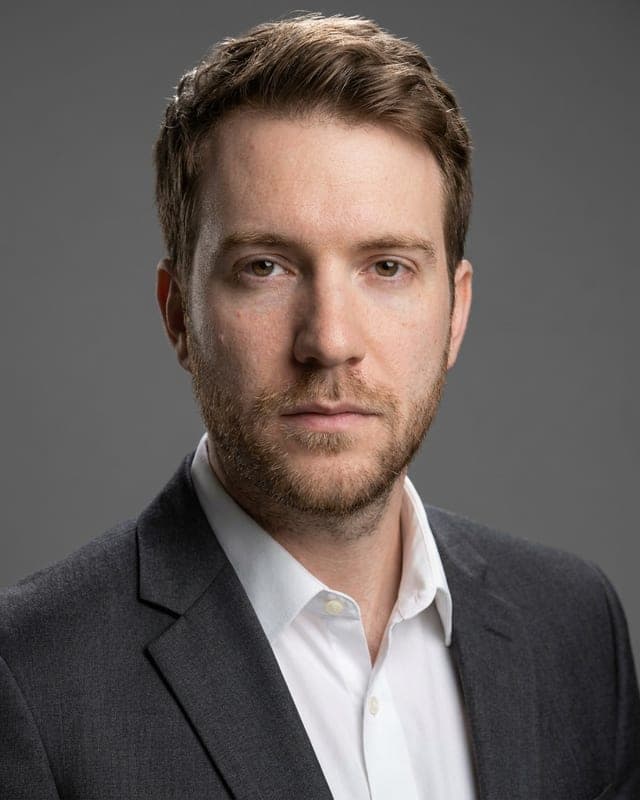
 What you upload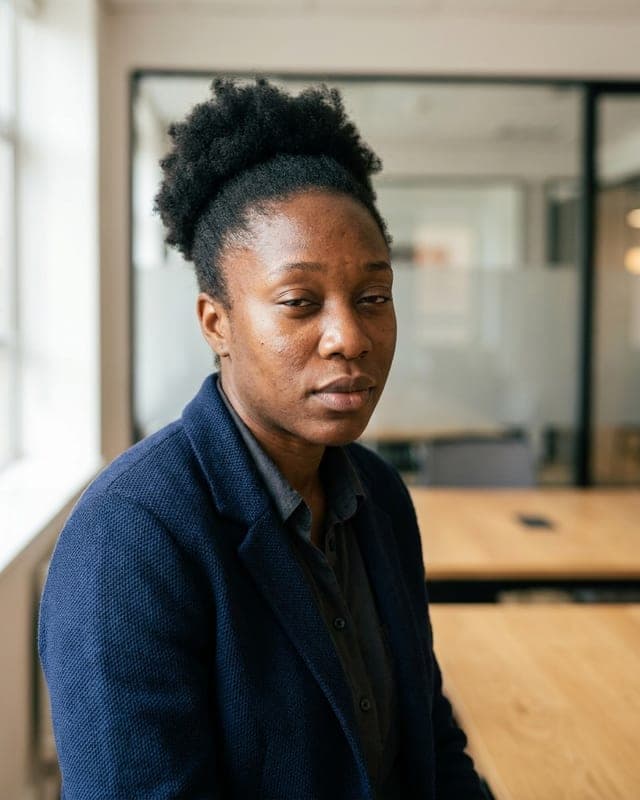
 What you upload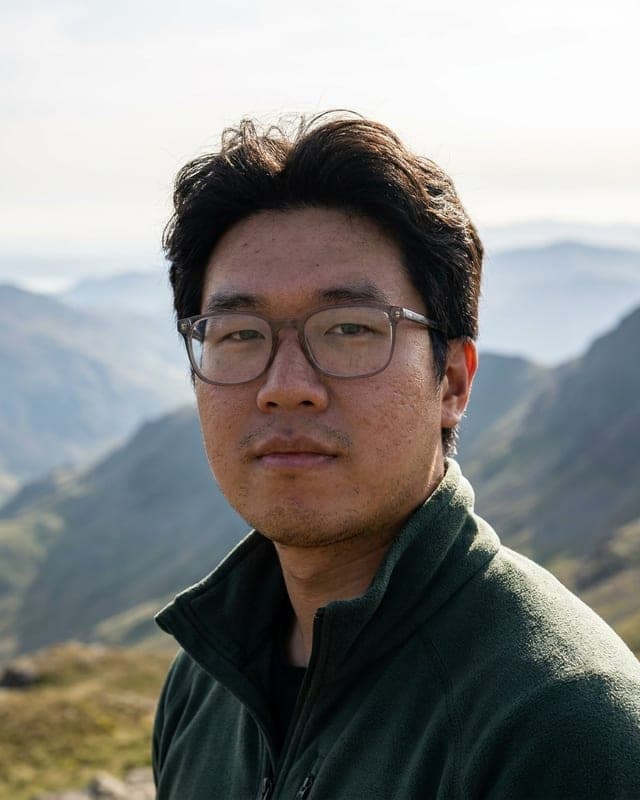
 What you upload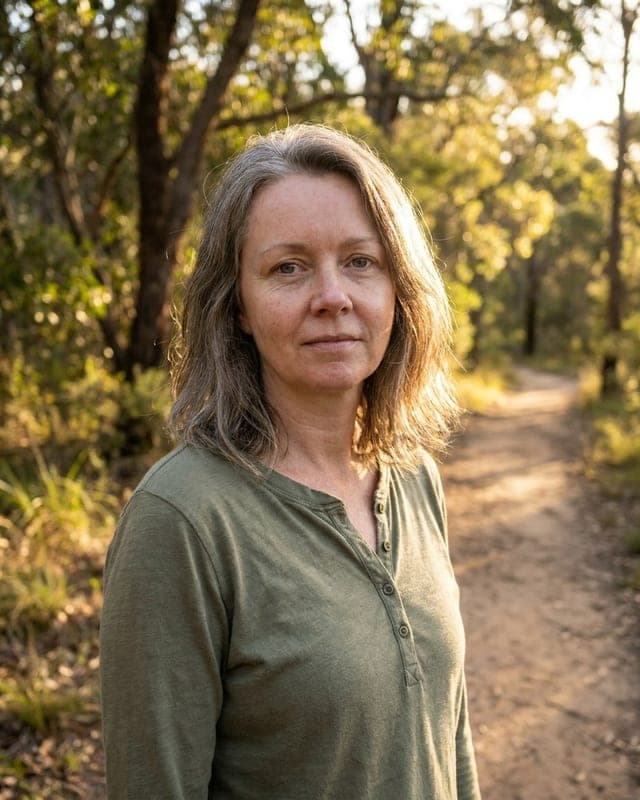
The photos on the left are AI-generated stand-ins — nobody real, and nothing about them has been darkened, blurred or otherwise worsened to flatter the result. Each photo on the right is real output from this tool, made from exactly the photo beside it. Both are cropped to a common 4:5 frame and scaled down for the web, and nothing else about them has been altered. Your own result depends on the photo you upload — which is why you see it in full before you pay.
Getting a decent headshot is a bigger job than it should be
Booking a photographer means finding one, paying a session fee, taking time off, and waiting for proofs. So most people keep using a cropped wedding photo, a badly-lit selfie, or nothing at all — on the exact profile that decides whether a stranger takes them seriously.
- Booking a studio sitting costs real money and takes a chunk of your day
- The photo you're using now was cropped out of something else
- Phone selfies have flat, unflattering light and a messy room behind you
- Other AI tools hand you a hundred variations and leave you to hunt through them
How it works
Three steps, about a minute
- 1
Upload one clear photo
A plain phone selfie is enough. Face the camera in decent light — we don't need a good photo, just a clear one.
- 2
Pick your setting
A formal studio, a modern office, or outdoors — a mountain range, a national park, or a city street. The setting decides your background, your lighting and your clothing together, so the outdoor ones come back in relaxed clothes rather than a suit.
- 3
See it, then decide
About a minute later your headshot appears in full. Download the full-resolution 4:5 file if you want it — and if it isn't right after you download, we refund you.
Settings
Pick the setting — formal studio, or outdoors in relaxed clothing
Studio & officeBusiness attire, controlled light.
Studio gray
Seamless mid-gray backdrop, business attire. The safe default for any industry.
Clean white
Bright white background, business attire. Best for company team pages.
Modern office
Softly blurred contemporary workplace, smart workwear.
Outdoors & relaxedCasual clothing, natural daylight.
Mountain range
Open peaks and daylight, in a fleece or a technical jacket. No suit.
National park
Sunlit trees and trail, in a flannel or a plain tee. No suit.
City street
Blurred city backdrop, smart-casual. Modern, no tie.
The coloured tab on each card is a colour key, not a sample — the photographs are up in the examples. You pick one setting before you upload, and it decides your background, your lighting and your clothing together.
How this is different
One photo in, one photo out
One photo in, one photo out. Not a hundred variations to sift through — a single deliberate headshot, which you see in full before you decide. If you download it and it isn't right, we refund you.
What you get
- 1200 × 1500 px (4:5) high-resolution JPEG
- Portrait 4:5 crop — the native shape for LinkedIn and team pages
- Lighting matched to the setting you pick — studio, window light, or natural daylight
- A clean, distraction-free background in the setting you choose
- Clothing that matches the setting: business attire for studio and office, relaxed outdoor wear for the mountain, park and city settings
See it first
Your headshot is generated and shown to you in full before you're asked to pay anything. No blind purchase.
Refunded after download
Our refund doesn't expire the moment you download. If yours isn't right, tell us — you keep the file and we refund you.
A headshot you're happy to put your name next to
You see your headshot in full before you pay. And if you download it and it still isn't right, we refund you.
- High-resolution 1200 × 1500 px (4:5) file
- Six settings — studio, office, or outdoors — each with its own lighting and clothing
- One headshot, seen in full before you decide
- Refunded if it isn't right
What makes a good photo to upload
- One photo where your whole face is clearly visible
- Facing the camera, head and shoulders in frame
- Reasonably even light — a window is ideal
- No sunglasses or heavy shadow across your face
- JPG, PNG or WebP, up to 15MB
Questions
What if I don't like it?
You see your headshot in full, before you pay anything. If you buy it and it still isn't right, tell us and we'll refund you — including after you've downloaded the file. You can also try a different source photo or a different setting at no cost.
How many photos do I get?
One. Most AI headshot tools generate a large batch and leave you to sift through it for something usable. We generate a single headshot from your photo, show it to you in full, and let you decide. If you'd rather have a different setting, run it again.
How is this different from your passport photo product?
They're built for opposite jobs. A passport photo has to satisfy a government spec, so that product is strictly about cropping and sizing to the rules. A headshot is a marketing photo, so here the whole point is better light, a professional backdrop and smarter clothes. Same underlying engine, two separate modes — and the passport product's rules are never loosened to serve this one.
What will I be wearing?
Whatever the setting calls for — and you don't need to change before you take the photo. The studio and office settings put you in clean, well-fitted business attire in a muted colour. The mountain, national park and city street settings put you in relaxed clothing to match: a fleece, a flannel, an open-collar shirt or a casual jacket, with no suit, blazer or tie.
What do I actually get?
A 1200 × 1500 px (4:5) high-resolution JPEG in a portrait 4:5 crop — the native shape for LinkedIn, company team pages and speaker bios. You see a watermarked preview before you pay anything.
What about my glasses, beard, or head covering?
We ask the model to keep glasses, facial hair, and religious or cultural head coverings exactly as they are in your photo. Check the result before you buy — it's shown to you in full, and if it hasn't handled yours properly, don't buy it, or take the refund.